Module Stack
The Module Stack is where you layer actual deformations for the selected Bone Group. Add Module adds a module only to the currently selected group.
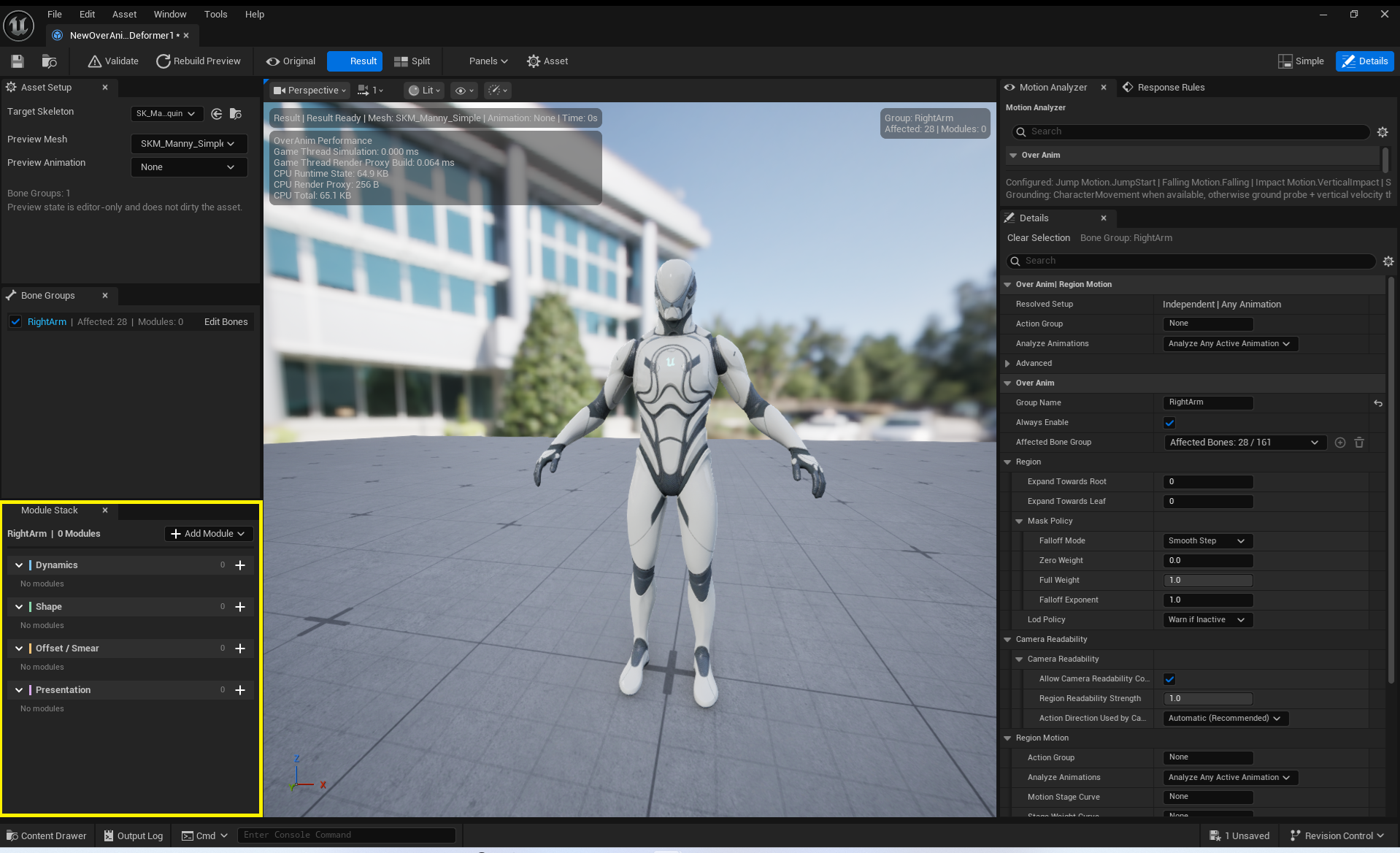
Module Categories and Order
| Phase | Modules | Purpose |
|---|---|---|
Dynamics |
Transform Spring, Follow Through | Inertia, delay, overshoot, and settling motion |
Shape |
Mesh Bulge, Squash & Stretch, Contact Dent + Ring Bulge, Joint Volume Corrective | Volume, silhouette, contact deformation, and joint correction |
Offset / Smear |
Smear, Impact Ripple | Motion trails and stretching from fast movement, and contact waves |
Advanced |
Bone Scaler | Advanced effect that changes Bone Transform scale and Attachment positions |
Phase Order is the evaluation order within the same Phase. It does not select an Automatic Motion stage such as Starting Pose, Anticipation, or Action. Modules can only be reordered by dragging within the same Phase.
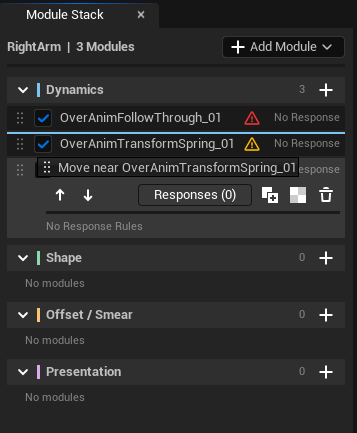
Common Module Properties
Module Name: Must be unique within the Region.Enabled: Disabled modules are not evaluated.Phase Order: The order within the same Phase.Composition Mode:Additive Offset: Adds displacement to the current result.ReSkinning: Re-evaluates using the current Control Point Transform.
Detailed Reference
See Effect Modules API for each Module's Detailed properties, how Simple knobs are applied to Detailed authored values, Signal/Response input requirements, Automatic Six-Stage Motion compatibility, safety, and validation.