Asset Setup
Asset Setup is the starting point for defining which Skeletons and Meshes an asset can be applied to.
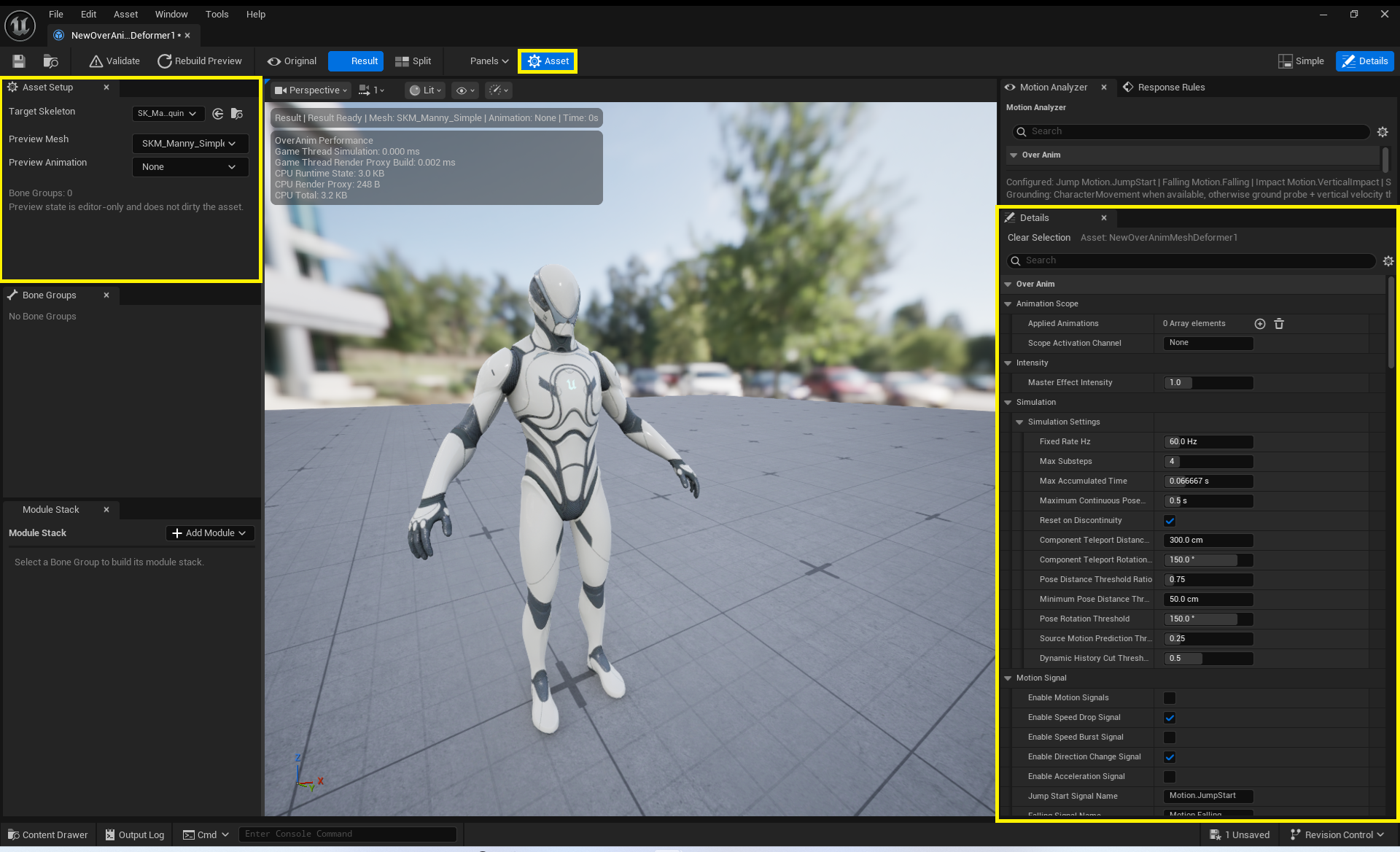
Required Fields
| Field | Description |
|---|---|
Target Skeleton |
The Skeleton targeted by this asset. It must match the runtime Target Mesh Skeleton. |
Preview Mesh |
The Skeletal Mesh used to inspect deformation results in the Asset Editor. It is also required for full Validate checks. |
Preview Animation |
The Animation Asset played in Preview. You can author the asset without one, but verification of motion-driven effects will be limited. |
Applied Animation Scope
Applied Animations is an optional allow list.
- If empty, the asset can be applied to all animations.
- If populated, Activation Windows apply only to the specified animations.
Scope Activation Channelis an optional channel name used for Activation Windows generated from the allow list.
When applying an effect only to a specific attack Montage, use the allow list together with AnimNotifyState_OverAnimActivationWindow to make the intent explicit.
Global Intensity and Composition
Master Effect Intensityis an asset-level master intensity multiplied into every Module result.Region Composition Policycombines results from overlapping Regions.Additive Delta: Accumulates Region results.Strongest Delta: Prioritizes the strongest deformation result.
Stabilize each Module's intensity before adjusting the master intensity. Raising only the master value can easily hide problems in a particular Region or Module.
Simulation and Budgets
Simulation Settings, Motion Signal Settings, Proportion Calibration, Signal Protocol Settings, Impact Signal Settings, and Request Budget apply across the asset. Their detailed meanings are documented in Motion · Simulation Types, Region · Calibration Types, Signal · Impact Types, and Response Types.
In particular, the Pending Signal, Resolved Request, and Active Response Slot limits in Request Budget must all be at least 1. For situations such as combat that generate many short Signals, do not simply raise these values; also tune input frequency and Region count as described in Performance.