Asset Editor
Opening an OverAnim Mesh Deformer asset displays its dedicated Asset Editor.
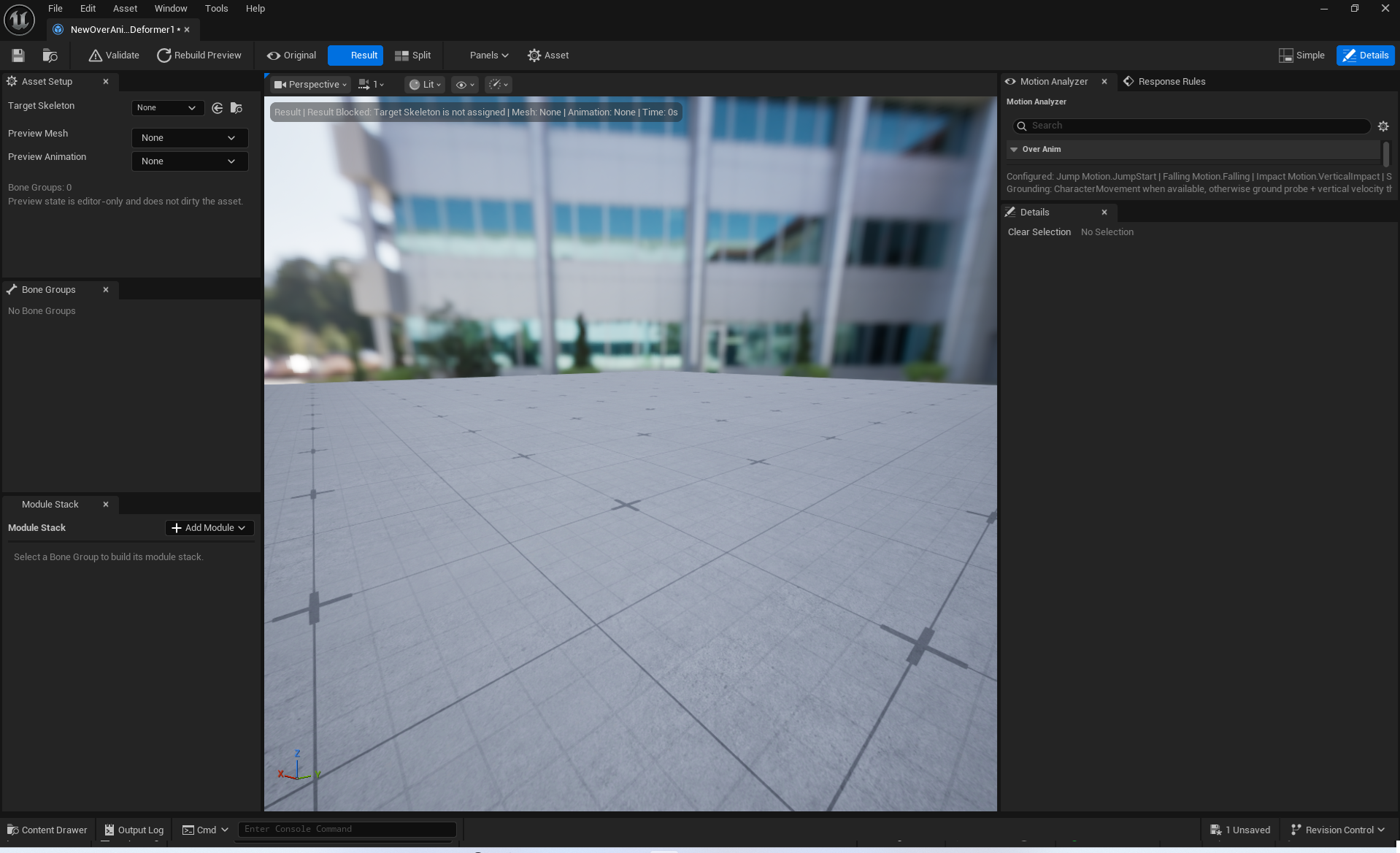
Main Panels
| Panel | Purpose |
|---|---|
Asset Setup |
Configures the Target Skeleton, Preview Mesh/Animation, application scope, and global settings. |
Bone Groups |
Creates Regions and configures bone masks, hierarchy expansion, LOD, and readability settings. |
Preview |
Plays and compares results in the Viewport and Timeline. |
Module Stack |
Adds effect modules to the selected Bone Group and adjusts their order. |
Response Rules |
Connects Signals or Automatic Six-Stage Motion to Modules. |
Motion Analyzer |
Adjusts sensitivity for Jump, Falling, Landing, speed changes, and Region motion signals. |
Details |
Edits detailed properties for the currently selected Bone Group, Module, or Rule. |
Status |
Provides a quick view of asset-structure issues. |
Toolbar
Validate: Runs full validation, including the Preview Mesh and contract requirements, and records the results in the Output Log.Rebuild Preview: Recreates the preview instance and refreshes the result.Original/Result/Split: Displays the original pose, deformed result, or a side-by-side comparison.Panels: Opens or focuses a dedicated panel.Simple/Details: Switches between the quick knob/Response authoring layout and the complete property-authoring layout. The layout only changes which properties are displayed; it does not select the runtime calculation method.

Workflow and Saving
Preview state is editor-only and does not dirty the asset. Editing a Bone Group, Module, or Response Rule, however, marks the asset for saving just like any other Unreal asset change. If the Preview looks incorrect, check Rebuild Preview, Status, and then Validate before making large value changes.
Simple and Details
The 0–5 knob in Simple uses 100% of the Detailed authored value at 1.0. Knobs do not modify Detailed fields, but at runtime they are always applied to the Detailed authored values regardless of the current layout. The Simple view for Squash & Stretch provides Response authoring UI instead of a knob. Switch to the Panels or Details layout when working with Response Rule details, Motion Analyzer, or Status.