Response Rules
A Response Rule is a contract that routes a Signal to a specific Bone Group and Module. A Rule generally defines when an effect runs, which Region and which Module it targets, and what intensity and time curve it uses.
Rule Structure
| Field | Description |
|---|---|
Signal Name |
The name of the Signal received by this Rule. |
Bone Group Name |
The target Region. |
Module Name |
The target Module. It must support Signals. |
Response Set Name |
The Response Set used to group Rules for enabling, disabling, or intensity adjustment. |
Priority, Slot Name |
Controls the priority and slot of concurrently running Responses. |
Blend Weight |
The Rule weight multiplied into final response intensity. |
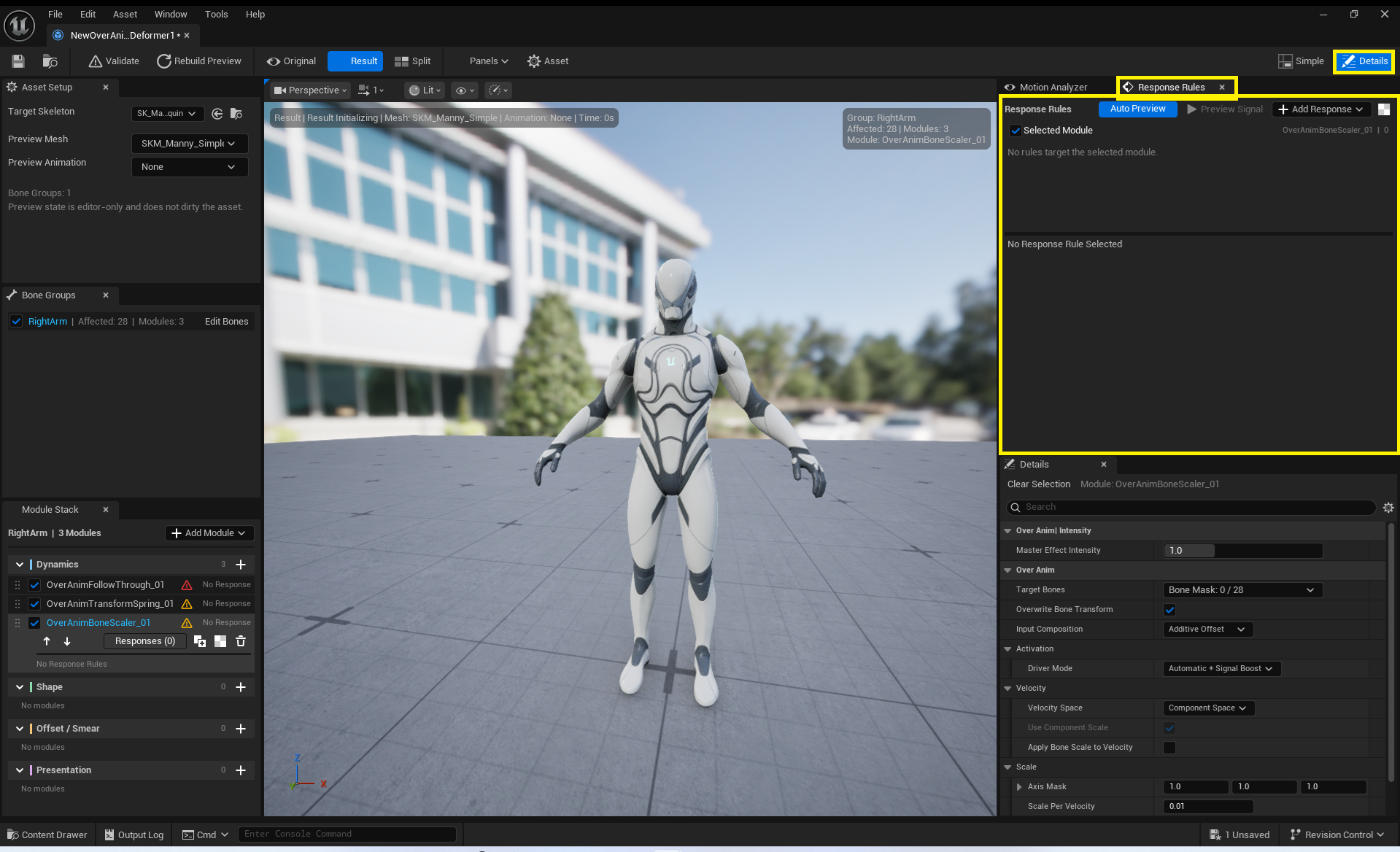
Rule names and active Response Rule names must be unique. Contract validation reports an error if any Signal, Bone Group, or Module name referenced by the Rule is empty.
Activation Policy
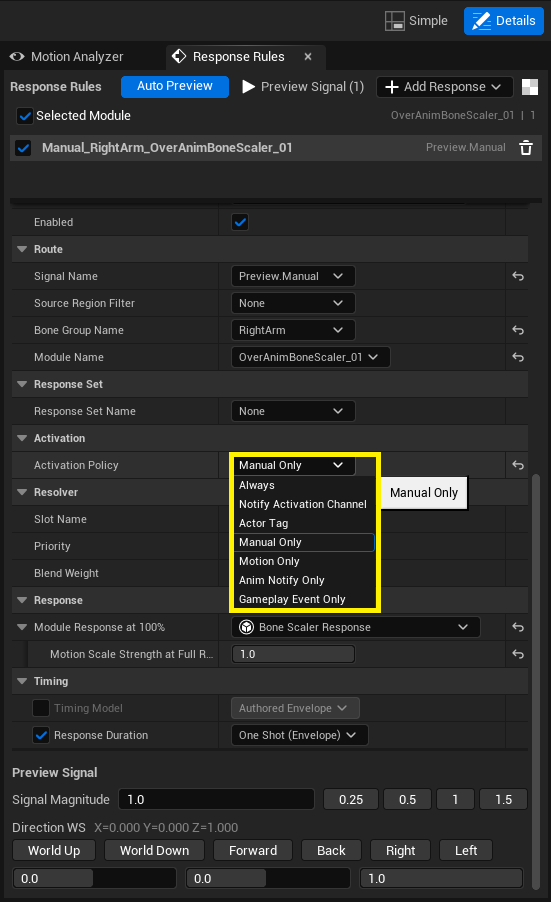
Use Activation Policy to restrict which input sources can trigger the Rule.
AlwaysNotify Activation ChannelActor TagManual OnlyMotion OnlyAnim Notify OnlyGameplay Event Only
Pulse and Sustained
Pulse: Plays the Attack → Hold → Release Envelope once.Sustained: Continuously tracks an active state or Automatic Six-Stage Motion.
The Attack Time, Hold Time, and Release Time in Response Envelope must each be at least 0, and their sum must be greater than 0.
Automatic Six-Stage Motion
When Timing Driver is set to Automatic Six-Stage Motion, the Response plays across these six stages:
Starting Pose → Anticipation → Action → Overshoot → Recoil → Settle Pose
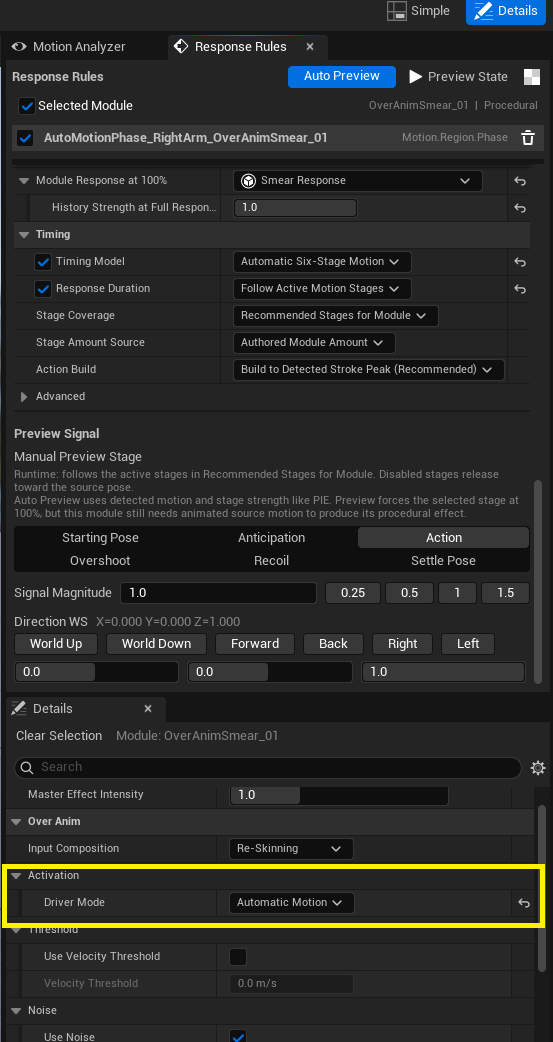
Action Build determines when the Rule reaches its Action Amount within the detected Action stroke.
| Value | Behavior |
|---|---|
Follow Detected Stroke |
Reaches the authored Action peak at the end of the detected stroke. |
Early Accent |
Reaches the peak early in the stroke to produce a faster accent. |
Immediate |
Uses the peak immediately upon entering Action. |
Custom |
Reaches the peak at the 0.05–1.0 ratio specified by Custom Action Peak Timing. |
Anticipation Direction determines the sign of the Anticipation shape. Counter to Action uses the direction opposite Action, while Same as Action uses the same direction as Action. Do not author module parameters under the assumption that Anticipation is always negative counter-motion.
Blend Recovery Stage Changes smooths amount transitions for Overshoot, Recoil, and Settle. Action buildup is controlled separately by Action Build.
Per-stage settings, generation requirements, and Rule/Module compatibility for Automatic Six-Stage Motion are documented in Response Types API.